Preview · sample figures & placeholder photos

Cariboo Gate Foundation is registering as a Canadian charity. Read our 2024 annual report.

Registered charity 12345 6789 RR0001 · Kamloops, British Columbia · Bweyale, Uganda

[email protected]
  1. Home
  2. Programs
  3. IT & computer skills
Cariboo Gate Foundation

Digital skills that open office doors.

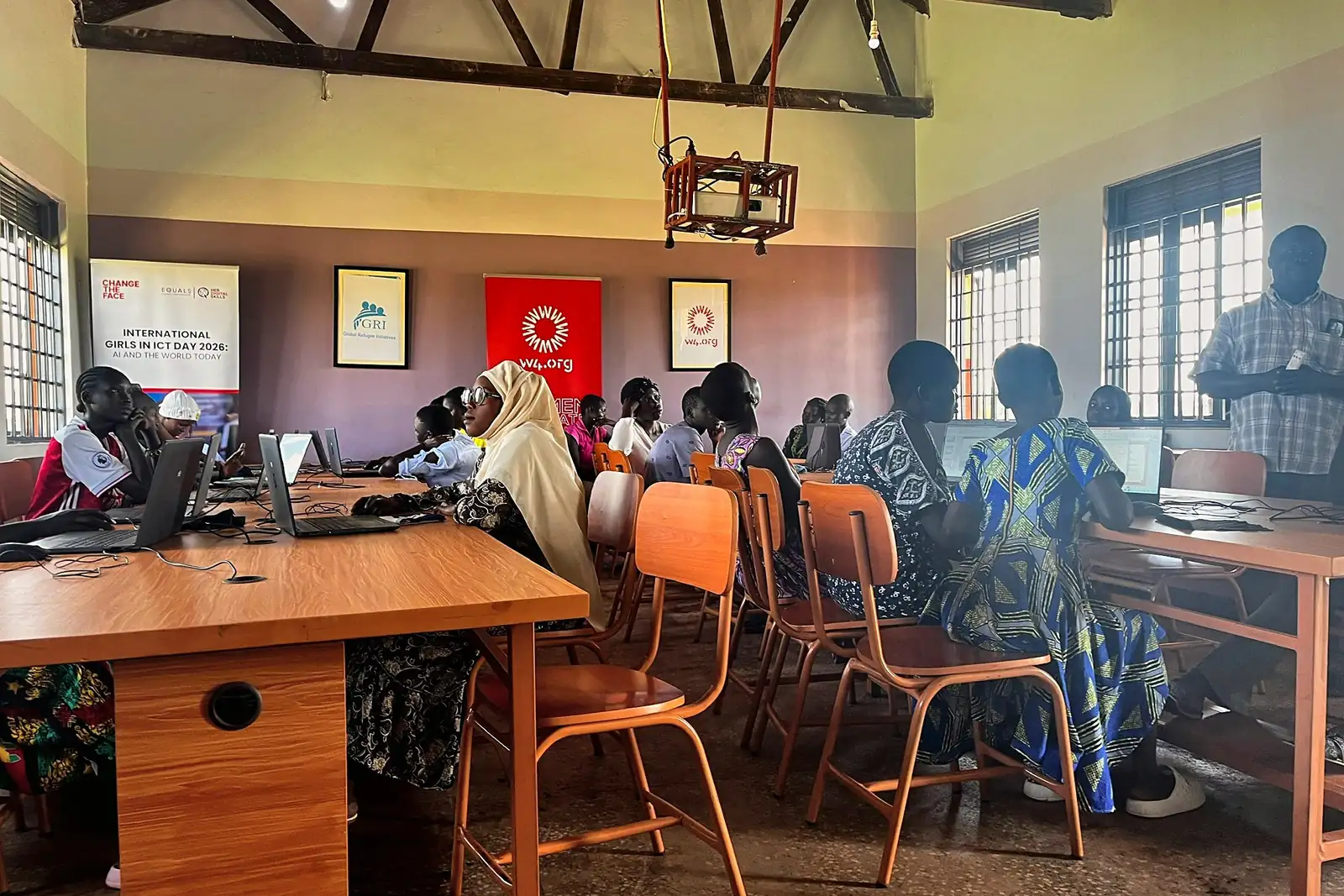
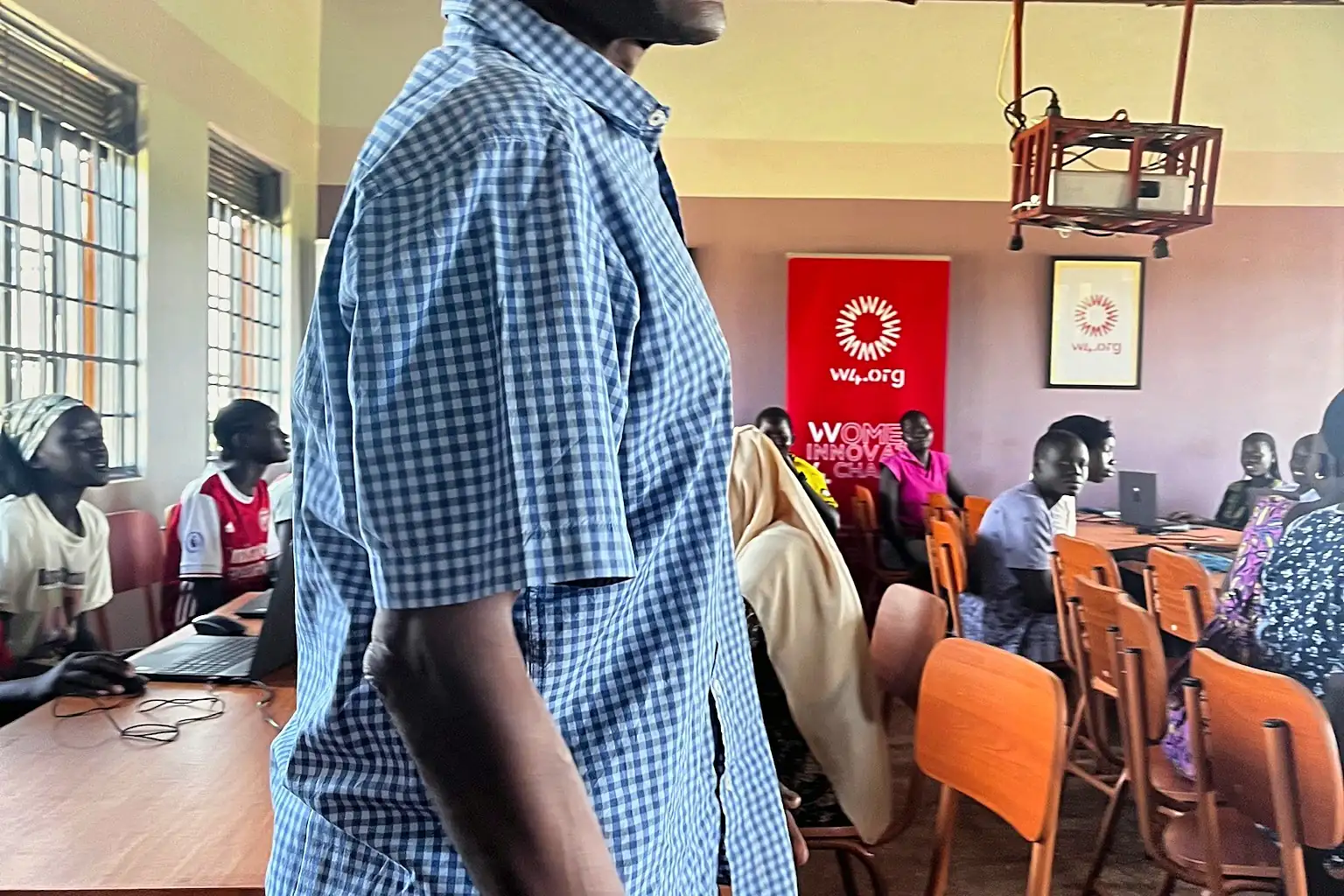
Typing, spreadsheets, email and basic bookkeeping are a doorway to administrative jobs and to running a small business well. This one-year Level 1 course is hands-on, with a laptop for every two learners. Our volunteer experts train the teachers who teach it.

  • Level 1 1 year
  • Cohort size 15
  • Funds one student $450
  • Enrolment Enrolling now
The need

Why this program.

Small businesses, clinics, schools and NGOs around Bweyale need people who can use a computer, but few local people have ever had access to one.

Mobile money and phone repair are growing businesses that depend on basic digital skills. Bookkeeping alone can transform a market stall.
The course

What students learn.

1 year · 3 days of theory and 2 days of practice each week

  1. Computer basics

    Months 1–3

    Keyboard and mouse, files and folders, typing practice and staying safe online.

  2. Documents and spreadsheets

    Months 4–6

    Letters, CVs and forms in a word processor; simple spreadsheets for budgets and records.

  3. Email, internet and bookkeeping

    Months 7–9

    Email, research, online safety and basic bookkeeping for a small enterprise.

  4. Work-ready

    Months 10–12

    A practical project for a real local organization, CV support and introductions to employers.

Levels

Three levels, one path.

Every trade is built as a three-level path. Level 1 runs today; Levels 2 and 3 are coming soon, and Level 1 graduates will be the first to move on.

  1. 01Enrolling now

    Level 1Foundation

    1 year

    The entry course: safe working, core skills and a BVE certificate, ready to earn.

    $450 funds one student, free for them

  2. 02Coming soon

    Level 2Intermediate

    2 years

    Deeper skills and larger projects, for graduates who want to work independently.

  3. 03Coming soon

    Level 3Advanced

    3 years

    Advanced techniques, supervision and teaching skills, preparing the next master instructors.

Who it's for

Who can join.

  • No previous education or experience needed
  • Priority for orphans, people with a disability, widows and families in extreme poverty
  • Age 16 or older at the start of the school year
  • Basic English is enough, and a free English class is offered to students who need it

Pathways to income: Administrative and clerical jobs, mobile-money and phone-repair businesses, and better management of participants' own enterprises.

Your instructors

Taught by qualified professionals.

Every it & computer skills class is taught by a qualified it & computer skills professional who is in the workshop every day, accountable for results, and committed long enough to build the course. Volunteer experts from Canada then train these instructors in new methods, so students get both.

  • Lead IT instructorTo be announced

    Qualification, years of experience and a short bio, added when the instructor is confirmed

  • Assistant IT instructorTo be announced

    Qualification, years of experience and a short bio, added when the instructor is confirmed

What we look for in an instructor

  • Holds a recognised IT or computer-skills qualification
  • Has real working experience as a it & computer skills professional, not only classroom experience
  • Can show a skill step by step and mark practical work fairly
  • Welcomes students with disabilities, orphans and widows, and can teach people who have never studied before
How learning works

Three days to learn. Two days to practise.

  1. Day 1Classroom
  2. Day 2Classroom
  3. Day 3Classroom
  4. Day 4Computer lab
  5. Day 5Computer lab

Classroom. How computers work, online safety and business basics, plus English, mathematics, citizenship and social skills.

Computer room. Typing, documents, spreadsheets and email, on real exercises.

Who teaches whom

  1. 1Expert volunteersVolunteers from Canada visit from time to time and teach the IT instructors new skills.
  2. 2Local IT instructorsFully equipped to train, they teach the students every day.
  3. 3StudentsThree days of theory and two days of practice, every week.
  4. 4BVE certificateAwarded to students who complete the year.
Train the teachers

Experts teach the teachers.

Local IT instructors teach the students every day. From time to time, expert volunteers come from Canada to train those teachers in new skills, so they are fully equipped to train the students. The teachers then pass it on, so one visit keeps paying off for years.

How both sides benefit

In Bweyale

Teachers & students

  • Instructors learn current methods, safety standards and better ways to teach them, without leaving their community
  • Workshops get the right tools, so students practise on the equipment they will use at work
  • Students get stronger teaching every day, not only while an expert is visiting
  • The school builds its own capacity, so it keeps teaching long after the volunteers go home
  • Graduates leave with skills that local employers and customers recognise and trust
In Canada

Volunteer experts & supporters

  • Experts pass on a lifetime of craft where it multiplies: one trained teacher reaches hundreds of students
  • Volunteers learn too, adapting their trade to local materials, tools and conditions
  • Donors see exactly where a gift went, with photos, handover lists and a report after every visit
  • Companies can send their own people, a hands-on way for teams to give back
  • A lasting partnership grows between tradespeople in Canada and the school in Bweyale
Sponsor a student

What a student place covers.

  • Instruction
  • Power, internet & running costs
  • Equipment & repairs
  • Counselling & support
  • Follow-up & monitoring
  • Coordination

Funds one student for a year
Free for the student, paid for by donors
$450

Results

What graduates achieve.

  • 91%complete the full course
  • 63%earning an income at 6 months
  • +58%average rise in monthly income
  • 1 in 4graduates start a mobile-money or phone-repair business
In their words

A graduate's story.

Sample graduate story
“I used to keep my shop's accounts in my head. Now they're on a spreadsheet, and I know exactly what I earn.”
Sample quote — replace with a real graduate's story, with consent.
Questions

IT & computer skills FAQs

Is there a Level 2 or Level 3?

Yes. Level 2 is a two-year program and Level 3, the advanced level, runs for three years. Both are coming soon. Level 1 graduates will be the first to move on as places open.

Can I donate a used laptop?

Yes, if it is in good working order. Because shipping is costly, we usually recommend funding a refurbished laptop bought locally. See the questions below about sending tools.

How is the computer room powered?

By solar panels and batteries, so classes continue through power cuts. Running costs are part of the cohort budget.

Can I send tools from Canada?

You can, but we usually advise against it. Shipping tools overseas often costs more than the tools themselves, and freight is slow and uncertain. Buying the same tools in Uganda costs less, supports local suppliers and arrives in days. Choose “Buy locally for me” and give the value, or contact us before you ship anything. Kamloops drop-offs are accepted for lightweight, high-value items such as laptops.

Will I get a tax receipt for tools?

For cash gifts, yes — eligible gifts of $20 or more receive an official donation receipt. For gifts in kind, the Canada Revenue Agency requires the fair market value to be established, and some items need an independent appraisal, so we confirm eligibility before you send anything. Where we buy tools for you with your cash gift, it is simply a cash donation.

How do I know my gift reached the trainees?

Cohort funders receive photos, handover lists and a short report after each graduation. Tools are counted at handover, with a record of who received what.

Support this program

Give money, tools or skills.

Equip the workshop, send a volunteer expert to train the teachers, or sponsor a student. Whatever you can give — money, tools or your own skills — we put to work in the next stage.

  • Cash gifts of $20+ receive an official Canadian donation receipt
  • Cash gifts fund tools and the cost of sending volunteer experts, who give their time for free
  • Buying locally in Uganda usually stretches your gift further than shipping tools from Canada
  • Companies: sponsor a whole cohort with a named progress report — see recognition options
  • Prefer to give online today? Go to our donation page

$450 trains one student for a year, free for the student · $6,750 funds a full cohort of 15 · 96 students have taken part since 2024 · 32 tools still needed (about $2,490)

Questions about this program?[email protected]

1 · How would you like to help?
2 · Choose an amount
How often?
2 · Choose tools (enter a quantity)
  • $260 each · 6 still needed · Good-condition, wiped and with a charger
  • $45 each · 12 still needed
  • $30 each · 7 still needed
  • $8 each · 5 still needed
  • $70 each · 2 still needed
How would you like to get them to the trainees?
2 · Tell us about your expertise

Experts volunteer their time. Cariboo Gate covers flights, lodging, insurance and materials. We'll be in touch to talk it through before anything is booked.

3 · Your details

You're giving $150 (one-time) to the IT & computer skills program.

This sends a pledge request, not a payment. A director replies within 3 business days with payment options (online, e-Transfer, cheque or securities) or delivery details. See our privacy policy.
Where graduates work

Projects that use these skills.

Trainees practise on real community builds. Here are the projects this program connects to.

More programs

Keep exploring our programs.

  • Masonry

    Bricklaying and building skills for a fast-growing settlement.

    Learn more
  • Carpentry

    Level 1 carpentry: woodworking skills that can start with a handful of tools.

    Learn more
  • Welding

    Level 1 welding: metalwork skills for gates, doors, frames and repairs.

    Learn more
  • Tailoring

    Garment-making that can start with one sewing machine.

    Learn more
  • Agriculture

    Farming skills that turn allocated plots into food and income.

    Learn more
  • Counselling & guidance

    Counselling and life-skills support for every participant.

    Learn more

All programs

Equip a workshop. Send an expert. Sponsor a student.

Give money, tools or your own skills to the program that matters most to you, and follow what it achieves in our field reports.

Help plant hope that keeps growing.

Give money, tools or your skills. Every gift goes toward tools, teacher training and places for the people who need them most.